Compass
Fatih BalsoyTools
4.863.00 Reviews
- Version
- Varies With Device
- Installs
- 10.00K
- Age Rating
- Everyone
Screenshots
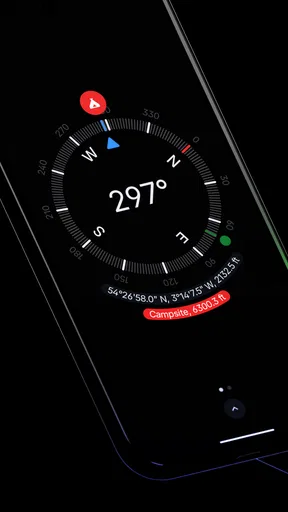
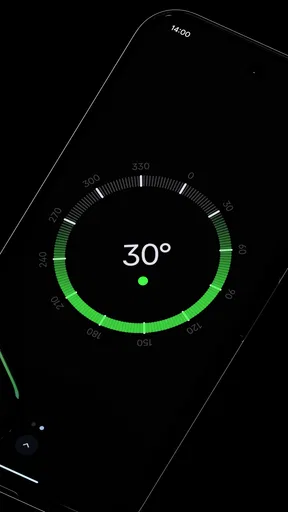
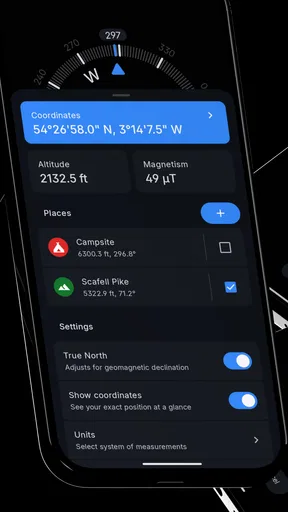
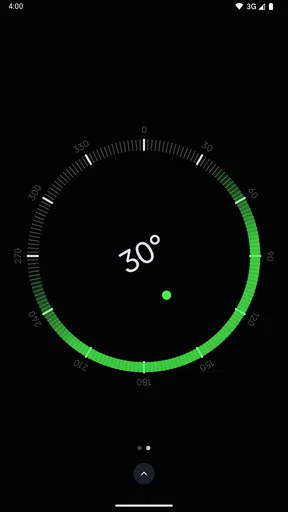
Our Review of Compass
 Analysis by Appyee
When I need to work out which direction I’m facing, I want a compass that gets out of the way rather than turning a simple check into a project. Compass is a focused tool for that job: open it, orient yourself, and get on with the walk. I find that directness useful in a city as much as outdoors, though a compass is only as dependable as the phone’s sensors and the way I use it.
A simple starting point
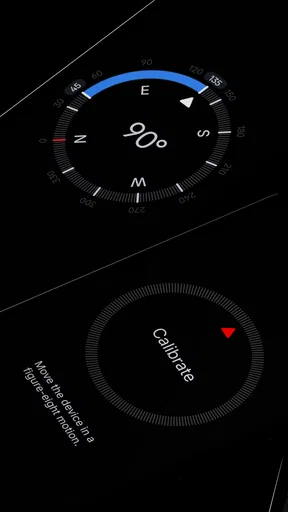
My basic routine is to open the app while standing still, give the phone a moment to settle, then turn slowly until the display’s direction is clear. Moving the phone in a small figure-eight can help recalibrate a device when its heading seems jumpy; I treat that as a practical sensor check, not a special feature of the app. Taking a reading before setting off is more useful than glancing at the screen while walking and trying to interpret it on the move.
The distinction between magnetic and true north matters more than it first appears. For a casual sense of direction, magnetic north is often enough. If I am matching a paper map or following a route that uses true-north bearings, I check which reference the map expects and set the compass accordingly. Mixing those references can leave a person confidently following the wrong bearing, so this small choice is worth making deliberately.
Settings to check
The app keeps its controls restrained, which suits its purpose, but I would still take a moment to review the available settings before relying on it. In particular, I check the north reference and make sure I understand what the direction lock does. A locked heading is most useful when I have already chosen a clear landmark or bearing; it is less helpful if I lock the display before I have established where I want to go.
Compass readings can be disturbed by nearby metal and electronic equipment. If the needle behaves oddly indoors, near a car, or beside a metal railing, I step away and compare the reading again. That is a better first response than assuming the app has failed. For a fair check, I also hold the phone flat and avoid gripping it right beside objects that could interfere with its sensor.
Faster habits outdoors
Experienced use is less about tapping through menus and more about building a repeatable routine: check the reference, take a stable reading, pick a visible landmark in that direction, and look up often enough to keep the landmark in view. The screen can tell me a heading, but it cannot choose a safe trail or confirm that a path is passable. I use the compass to support decisions, not make them for me.
On a familiar neighborhood walk, for example, I might use the compass to keep a general direction through several turns and then check a street sign or map at the next junction. On a hike, I would use it to confirm a broad bearing between recognizable features rather than stare at the phone for the whole route. This reduces unnecessary screen time and makes the compass a quick reference instead of a substitute for paying attention to the landscape.
That distinction also helps with battery expectations. The original review found battery use modest during its test, but actual drain can vary with the phone, its sensor behavior, and how long the screen stays on. I avoid leaving the display active continuously, especially on a long outing. Offline use is handy when there is no data connection, but it should not be mistaken for a complete offline map or route planner.
Where it fits
As a compass app in the Tools category, this is best judged against two common alternatives: a physical compass and a broader navigation app. Compared with a physical compass, it is already on the phone and quick to check, but it depends on a charged, functioning device and can be affected by sensor interference. Compared with a mapping app, it is more direct for a simple heading, while a map is better for choosing a route, seeing nearby streets, or understanding terrain.
I would choose this app for a quick orientation check, an uncomplicated walk, or as a secondary aid alongside a paper map. I would not rely on it as my only navigation method for remote travel, poor-weather conditions, or any situation where a wrong turn has serious consequences. In those cases, a dedicated map, a dependable physical compass, route knowledge, and suitable preparation matter more than a minimal phone display.
The app is developed by Fatih Balsoy and costs $0.99. It has an average rating of 4.9 from around 184 ratings, with 48 reviews and over 10K installs. It was released on July 3, 2024, and its content rating is Everyone. Those details make it easy to place as a modestly priced, focused utility rather than a full navigation suite; the rating is encouraging, but I would still decide based on whether a straightforward compass is what I need.
In an everyday scenario, imagine leaving a train station in an unfamiliar neighborhood and knowing your destination is generally east. I would use the compass to orient myself at the entrance, then follow street signs and check a map for the actual turns. If the heading shifts while I am indoors or beside a large vehicle, I would move to an open spot and take another reading instead of treating one unstable number as a direction to follow.
Limits worth knowing
The most important limitation is that a compass provides orientation, not navigation instructions. It does not replace checking where a road, trail, or entrance actually goes. A straight bearing can point across a river, a fenced area, or a steep slope. When the environment is complicated, I let a map or local signage determine the route and use the compass only to maintain a general sense of direction.
It is also worth distinguishing location information from heading. GPS can help establish where a phone is, but the direction the device faces is a separate measurement and may not be steady when the phone is stationary or held at an awkward angle. If a reading looks inconsistent, I pause, hold the phone level, move away from likely interference, and check again. If it remains unreliable, I switch to another navigation method rather than forcing the app to answer.
Someone who mainly needs turn-by-turn directions, saved routes, or detailed terrain context will probably be happier with a mapping or navigation app. Someone who wants an instrument that works independently of a phone should carry a physical compass. The appeal here is narrower: a clear, readily available bearing without the extra layers those alternatives bring.
How it feels in use
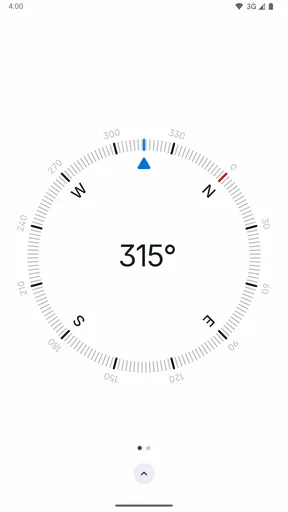
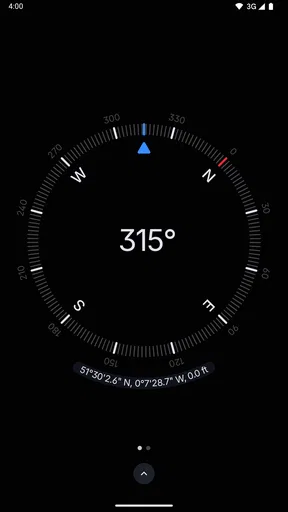
When I first opened up the app, I was greeted with a sleek and minimalistic interface. It’s like the developers took the phrase “less is more” to heart. The design is super straightforward, with an intuitive layout that doesn’t require a degree in cartography to understand. Right off the bat, it made me feel like I could trust it to point me in the right direction.
What stands out
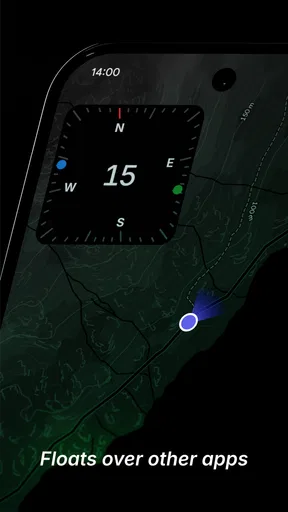
What I really liked about the app is its simplicity paired with functionality. The main screen displays a traditional compass rose, complete with cardinal directions. But it doesn’t stop there. Here are some features that I found particularly useful:
- True and Magnetic North: You can switch between true north and magnetic north, which is pretty nifty depending on your location and needs.
- GPS Integration: The app integrates seamlessly with your phone’s GPS, providing accurate location data.
- Minimal Battery Drain: No need to worry about your phone dying on you in the middle of nowhere.
- Offline Mode: Perfect for those times when you’re out of signal range but still need to find your way.
These features make the app a versatile tool for both urban explorers and wilderness adventurers alike.
Out on a walk
Now, let’s talk about how it actually performs when you’re out and about. I took the app on a little test run during a weekend hike, and I have to say, it held up pretty well. The compass needle was responsive and accurate, even when I was deep in the woods. Plus, the offline mode was a game-changer, allowing me to keep my bearings without relying on a data connection.
Another thing that stood out was how little impact it had on my phone’s battery. I was expecting the GPS integration to be a bit of a power hog, but the app seemed to sip rather than guzzle my battery life.
Using the controls
In terms of usability, the app is definitely user-friendly. The app doesn’t bombard you with unnecessary options or settings. It’s straightforward and to the point, which is exactly what you want when you’re trying to find your way. The settings menu, while basic, offers just enough customization to tweak the app to your liking without overwhelming you.
One of my favorite features is the ability to lock your direction. Once you’ve set your course, you can lock it in, and the app will alert you if you stray off path. It’s like having a little co-pilot in your pocket.
My take
Overall, the app is a solid choice for anyone looking for a reliable navigation tool. Its combination of simplicity, accuracy, and battery efficiency makes it a standout in a sea of overly complicated compass apps. Whether you’re an avid hiker or just someone who occasionally gets turned around in the city, this app is a handy little addition to your smartphone toolkit.
So, next time you’re about to embark on an adventure, whether it’s in the urban jungle or the actual jungle, give Compass a spin. You might just find it’s the north star you’ve been looking for.
Verdict
Strengths of Compass
- Accurate and reliable direction finding.
- Simple and intuitive user interface.
- Quick calibration process.
- Works offline without internet.
- Minimal battery consumption.
Limitations of Compass
- Limited features beyond basic navigation.
- No advanced mapping capabilities.
- Ads can be intrusive at times.
- Not customizable for different themes.
- Requires device sensors to function properly.
Similar Picks in This Category
View All
Google LLC4.0

Gboard - the Google Keyboard
Google LLC4.5

Google Play services
Google LLC4.3

Google Play Store
Google LLC4.9

Files by Google
Google LLC4.5

SHAREit: Transfer, Share Files
Smart Media4U Technology Pte.Ltd.4.3
Frequently Asked Questions
What features does the Compass app offer?
The Compass app provides various features, including a digital compass for navigation, GPS coordinates, and a built-in map for location tracking. It also offers altitude measurement and the ability to save key locations. These features make it a versatile tool for hikers, travelers, and outdoor enthusiasts.
Is the Compass app accurate?
Yes, the Compass app is designed to be highly accurate, using your device’s gyroscope and GPS capabilities. However, accuracy can vary based on environmental factors such as interference from large metal objects or magnetic fields. Regular calibration and ensuring your device’s sensors are functioning properly can enhance accuracy.
Does the Compass app require an internet connection?
The basic compass functionality does not require an internet connection, allowing you to use it offline for navigation. However, features like maps or location sharing might need an internet connection to function optimally. It’s recommended to download maps beforehand if you plan to use it in areas without connectivity.
Is the Compass app free to use?
The Compass app is typically free to download and use for basic navigation. However, some versions may offer premium features or an ad-free experience through in-app purchases. Always check the app description for details on any potential costs or subscription options before downloading.
Can I use the Compass app on both Android and iOS devices?
Yes, the Compass app is available for both Android and iOS platforms. Ensure you download the version compatible with your device’s operating system. While the core functions remain the same, some features might differ slightly between platforms due to OS-specific capabilities.
